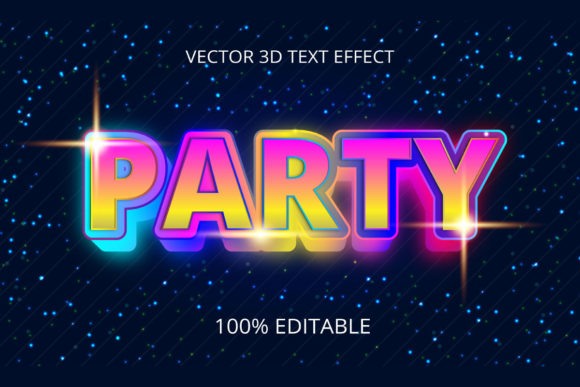
Streamline Your Design Workflow with Party Creative 3D Text Effect Designs
Creating stunning text effects in Adobe Illustrator can be a time-consuming process, especially if you're aiming for that perfect three-dimensional look. However, with the Party Creative 3D Text Effect Design, this challenge is dramatically simplified. This powerful set includes 100 ready-to-use text effect styles, all fully customizable and compatible with Adobe Illustrator CC and newer versions. Whether you're a seasoned designer or just starting out, these templates offer an efficient way to elevate your projects while saving hours of manual work.
What Are 3D Text Effects?
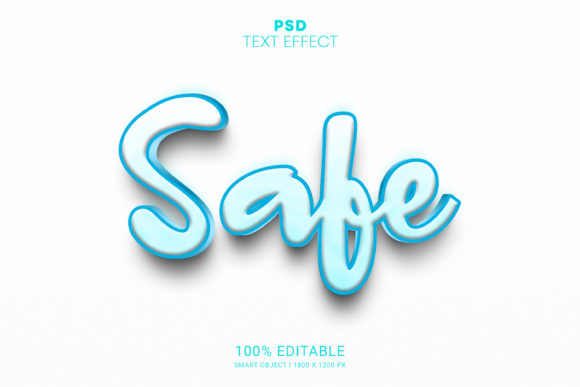
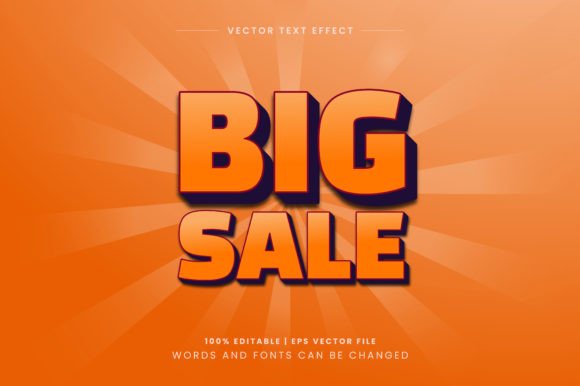
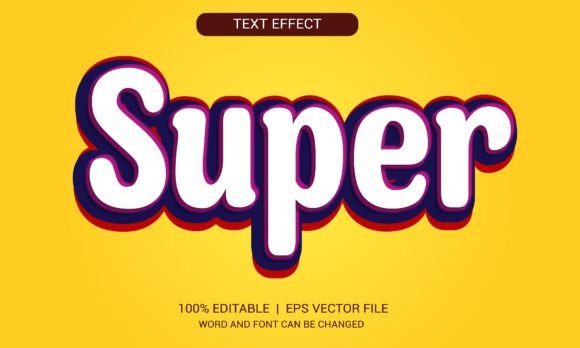
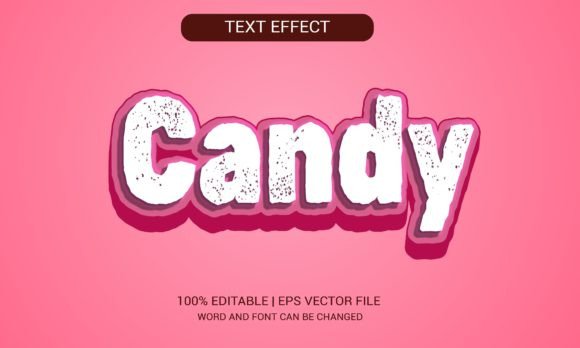
Text effects are visual enhancements applied to text to make it stand out in a design. A 3D text effect adds depth, shadows, highlights, and other dimensional qualities to typography. These effects are widely used in graphic design, branding, marketing materials, social media content, and more to create eye-catching visuals without needing complex modeling tools.
The Party Creative 3D Text Effect Design package offers a curated selection of high-quality 3D text effects that mimic realistic lighting, textures, and shapes. From glowing neon signs to metallic embossed lettering, these styles bring life to any project instantly.
Why Choose Party Creative's 3D Text Effects?
- Instant Application: With one click, you can apply a professional-grade 3D effect to your text, bypassing the need to manually adjust layers, gradients, or lighting.
- 100 Unique Styles: The collection features a wide variety of effects, ensuring there’s something suitable for every theme and design requirement.
- Fully Customizable: Each style is editable within Adobe Illustrator, allowing you to tweak colors, sizes, shapes, and even add personal touches like background textures or custom fonts.
- Editable EPS Files: You get 100 editable .eps files, making it easy to integrate them into your existing projects and scale them as needed without losing quality.
- Free Fonts Included: No need to worry about font licensing—every template uses free fonts that are legally available for use in both personal and commercial projects.
How It Works: Just Type and Go
One of the most appealing aspects of the Party Creative 3D Text Effect Design is its simplicity. Here’s how it works:
- Open Adobe Illustrator and select a text effect from the package.
- Type your desired text directly into the editable layer.
- Watch as the effect automatically adjusts to fit your input.
- Customize the look by changing colors, fonts, or adding additional elements.
- Export your design in your preferred format for web or print use.
This streamlined process means you can go from blank canvas to polished design in minutes instead of hours. It’s ideal for designers who want to focus on creativity rather than technical execution.
Use Cases Across Industries
These 3D text effects are incredibly versatile and can be adapted for various industries and applications. Let’s explore some practical scenarios where they shine:
Marketing and Advertising
In the world of advertising, attention-grabbing headlines are essential. The Party Creative 3D Text Effect Design allows marketers to create bold, dynamic titles for posters, billboards, and digital ads. For example, a promotional poster for a new product launch can benefit from a metallic or glossy 3D text effect to highlight key phrases such as “Limited Edition” or “Now Available.”
Web and UI/UX Design
When designing websites or user interfaces, readability is crucial, but so is aesthetics. These text effects can help maintain a balance between form and function. Use them sparingly for call-to-action buttons, headings, or hero sections to give your site a modern, visually engaging edge.
Print Media
For brochures, flyers, invitations, and book covers, 3D text effects can add a sense of luxury or excitement. A wedding invitation using an elegant gold foil-style text effect created with Party Creative’s templates will immediately convey sophistication and care.
Social Media Content
Instagram, Facebook, and Twitter thrive on visual appeal. Applying a Party Creative 3D text effect to your social media posts can significantly boost engagement. Imagine a motivational quote with a glowing 3D effect standing out against a dark background—it draws the eye and makes your message memorable.
Key Features That Set It Apart
Not all text effect packages are created equal. Here are several standout features of the Party Creative 3D Text Effect Design that make it a must-have for professionals and hobbyists alike:
- Layered Smart Objects: Each template is structured with smart objects and layered components, making it easy to edit individual parts of the design without affecting the whole.
- Non-Destructive Editing: All effects are applied in a non-destructive manner, meaning you can modify your text at any point without compromising the original artwork.
- Compatibility: Works seamlessly with Adobe Illustrator CC and newer versions, ensuring you’re using up-to-date tools that support advanced editing features.
- Time Efficiency: With no need to recreate effects from scratch, you can focus on the creative vision of your project and deliver faster turnaround times.
Practical Benefits for Designers
Time is money in the design industry, and efficiency is key. Here’s how this package helps you save time and effort:
- Speed Up Prototyping: When working on multiple design variations, applying 3D text effects quickly helps you test different concepts efficiently.
- Consistency Across Projects: Using pre-designed effects ensures a consistent visual language across your brand’s collateral or client’s campaigns.
- Client Satisfaction: Delivering high-quality, professionally rendered text effects impresses clients and reinforces your expertise.
- Learning Tool: Even if you’re not using the effects directly, studying their structure can teach you valuable techniques for creating your own 3D text designs from scratch.
Getting Started with the Templates
If you're new to using 3D text effects, here’s a quick guide to help you begin:
- Download the Party Creative 3D Text Effect Design package.
- Extract the contents and open an .eps file in Adobe Illustrator.
- Select the text layer and replace the placeholder text with your own.
- Adjust colors, fonts, and other parameters to match your project’s aesthetic.
- Save your file or export it in your desired format (PNG, JPEG, PDF, etc.).
Each file is well-organized, making it simple to navigate and understand. If you're comfortable with basic Illustrator functions, you’ll find yourself creating impressive text designs in no time.
Tips for Maximizing Results
To get the most out of your Party Creative 3D Text Effect Design templates, consider the following best practices:
- Choose the Right Style: Match the text effect to the tone of your project. A cartoonish style might not suit a corporate brochure, but it could be perfect for a children’s book cover.
- Experiment with Fonts: While the package includes free fonts, feel free to swap them with your favorites to personalize the look further.
- Combine with Backgrounds: Play around with textures and backgrounds to enhance the overall impact of your design. A grunge texture behind a neon-lit text can create a dramatic contrast.
- Use Sparingly: Don’t overdo it—too many effects can clutter a design. Apply them strategically to highlight important information.
Common Concerns and Considerations
Before diving into using the Party Creative 3D Text Effect Design, many users have questions about compatibility, customization, and ease of use. Here’s what you should know:
Software Requirements
As mentioned earlier, these templates require Adobe Illustrator CC or later. They won’t work with older versions or other design software like Photoshop or InDesign. Make sure you have the right tools before purchasing.
Customization Limits
While each template is highly customizable, there may be some limitations depending on the complexity of the effect. For instance, intricate glass-like or shadow-heavy effects might require more advanced adjustments. But don’t worry—most effects are designed to be modified easily with standard Illustrator tools.
Learning Curve
Although the templates are user-friendly, understanding how to manipulate smart objects and vector paths may take some practice. Fortunately, Adobe has excellent tutorials and resources to help you learn Illustrator tricks that will complement your use of these effects.
File Organization and Structure
Some users might struggle with organizing the 100+ files included in the package. To avoid confusion, we recommend creating a dedicated folder for the templates and sorting them by category (e.g., metallic, glowing, vintage). This will help you find the right effect quickly when working under tight deadlines.
Real-World Examples of Effective Use
Let’s look at a few real-world examples to see how the Party Creative 3D Text Effect Design can be applied effectively:
- Event Invitations: A birthday party flyer using a vibrant, colorful 3D text effect can make the event look lively and exciting.
- App Store Icons: Developers often use bold 3D text effects to create unique app icons that stand out in crowded marketplaces.
- YouTube Thumbnails: A thumbnail with a futuristic 3D text overlay can increase click-through rates by making the video more visually compelling.
- Merchandise Design: T-shirts, mugs, and posters benefit from stylized 3D text to attract attention and communicate a strong brand identity.
These examples demonstrate how the right text effect can transform a simple piece of text into a powerful visual element.
Final Thoughts on Streamlining Creativity
Designers are always looking for ways to improve efficiency without sacrificing quality. The Party Creative 3D Text Effect Design provides a solution that aligns perfectly with modern design workflows. By offering 100 instant, editable 3D text effects, it empowers creators to experiment, iterate, and produce professional results rapidly.
Whether you're crafting content for print or digital platforms, these templates offer a valuable shortcut. They allow you to spend less time on tedious setup and more time on refining your design’s message and style. And with free fonts included, you won’t face unexpected costs or licensing hurdles.
Adopting the Party Creative 3D Text Effect Design into your toolkit isn’t just about convenience—it’s about unlocking new levels of creativity and productivity in your design process.